
Welcome to the developer documentation for integrating the Age Verification Service.
You can integrate the service using:
API An API integration with Yoti's hosted UI.
SDK Integrate without Yoti's hosted UI using the headless approach. Particularly suited for native app integrations.
Portal To view session results only.
This section describes the API interactions for a web and mobile web integration. Data is exchanged securely between the relying party (your backend), Yoti and the client (the end user’s browser or mobile device).
The main steps for the integration are:
Create a session
Add your methods and configure your thresholds.
Launch the user view
Retrieve the results.
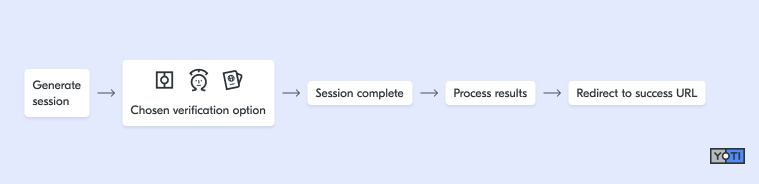
A session represents a single end-to-end interaction with the Yoti age verification service. You’ll receive the session ID (identifier) in the response when you create a session. Each time a user on your app or website initiates age verification, create a new session with Yoti to perform the checks.
Once the Yoti Client has launched, it will take the end user through the appropriate age capture flow. Once this flow is completed, the end user is redirected back to the relying business so that they may continue their journey. These redirects are defined when generating the session.
The session can be retrieved using the session ID. The response from this endpoint contains information on the age of the user, the result and the method.
Supported Browsers
Device | Browser | Version |
|---|---|---|
Android | Google Chrome | Last 3 versions |
iOS | Safari | Last 3 versions |
Desktop | Google Chrome | Last 4 versions |
Safari | Last 4 versions | |
Microsoft Edge | Last 2 versions |
Supported Operating Systems
Device | OS Version |
|---|---|
Android | Android 10+ |
iOS | iOS 16+ |
Digital ID requires a minimum of iOS 16. Devices running an earlier version of iOS cannot download the Yoti app from the App Store.