
If you have integrated the age estimation and liveness API, we strongly recommend adding our face capture module to enhance your results. When deployed in a web application, Yoti recommends using our Face Capture Module (FCM), which uses the webcam to capture a user image that can be sent to the Yoti services backend for processing.
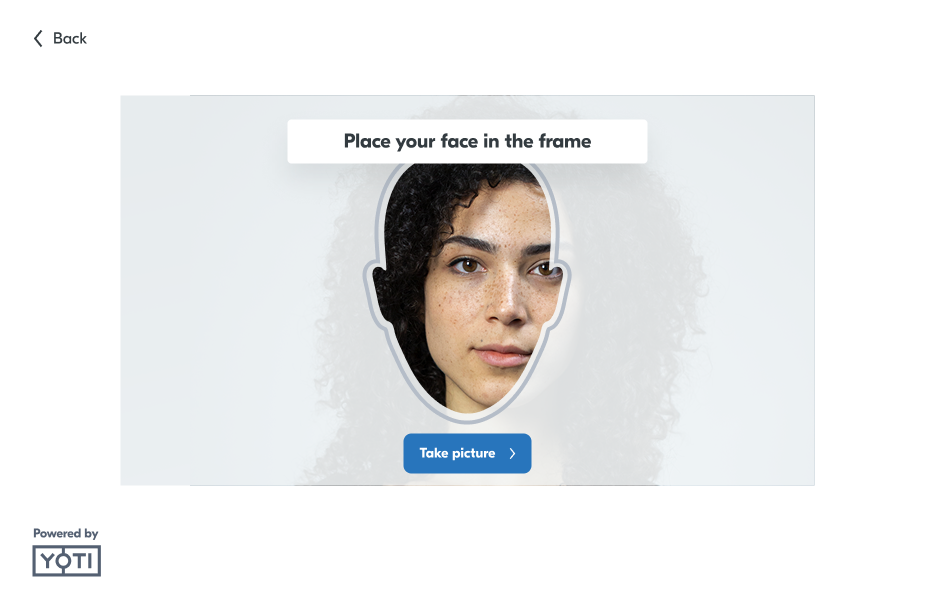
There are 2 steps to follow to integrate the face capture module:
Install the package
Integrate the package.
This service has specific image quality requirements.
By integrating our Web FCM, you will benefit from our proprietary SICAP technology. This approach effectively prevents injection attacks, as each image capture is signed and verified by our backend. It also blocks the use of virtual cameras and hijacking of HTTP requests.
Install the package
Yoti currently supports:
React JS (Next JS)
Javascript
React JS
Install the dependency.
To ensure the Yoti Face Capture Module functions correctly, it must be excluded from minification within your Next.js configuration (next.config.js , next.config.ts or next.config.mjs).
For Next.js with Turbopack, minification can be disabled with the turbopackMinify.
The package depends on the following peer dependencies:
The package supports the following browser versions:
Browser | Versions |
|---|---|
Android Chrome | 151 |
Google Chrome | 151, 150, 149, 148 |
Microsoft Edge (Desktop only) | 151, 150 |
Mozilla Firefox | 154, 153, 152, 151 |
iOS Safari | 26.6, 26.5, 26.4 |
Apple Safari | 26.6, 26.5, 26.4, 26.3 |
Assets are not included in the JavaScript bundle. To have the components work correctly, you will need to copy library assets from @getyoti/react-face-capture/assets folder into your assets folder.
For instance, in WebPack, you can use the plugin copy-webpack-plugin in the following way:
JavaScript (vanilla)
For projects without a React tech stack, you can use the Face Capture vanilla version. When you install the library on your machine, it's located inside the folder vanilla.
Add the package to your codebase and serve the static assets:
Inside the page you want to have Face Capture, add Face Capture scripts and styles like in the example below. faceCaptureAssetsRootUrl is a property you can use to instruct the library where neural net files are served; otherwise, we look for the files relative to the page location assets/face-capture/.
Our scripts will give you access to Yoti.FaceCaptureModule.render where you can set 2 parameters. The first parameter is the properties, the same ones used in the integration with React. The second parameter is a reference to html DOM, allowing you to decide where to render the UI.
To unmount the component, it is highly recommended to call the Yoti.FaceCaptureModule.unmount function instead of destroying the html element, which could lead to some issues or misbehaviour.
CSS Customization
It is possible to customise the style by changing the following CSS properties:
CSS Properties | Description |
|---|---|
| Sets the background color. |
| Variant 1 of the background color. |
| Variant 2 of the background color. |
| Color used for contrast elements like separators or the dialog scrollbar. |
| Color used for the buttons. |
| Color used for the buttons when hovered. |
| Color used for the buttons when pressed. |
| Color used for the primary text. |
| Color used for the secondary text. |
| Sets the font family. |
| Sets the color and opacity of the overlay. |
| Sets the color of the face frame. |
| Sets the success color of the face frame. |
| Sets the warning color of the face frame. |
| Sets the color of the face frame for manual mode invalid image feedback. |
| Sets the bottom-left border radius of the buttons. |
| Sets the bottom-right border radius of the buttons. |
| Sets the top-right border radius of the buttons. |
| Sets the top-left border radius of the buttons. |
| Sets the bottom-left border radius of the help dialogue. |
| Sets the bottom-right border radius of the help dialogue. |
| Sets the top-right border radius of the help dialogue. |
| Sets the top-left border radius of the help dialogue. |
| Sets the bottom-left border radius of the user feedback. |
| Sets the bottom-right border radius of the user feedback. |
| Sets the top-right border radius of the user feedback. |
| Sets the top-left border radius of the user feedback. |
| Sets the user feedback (prompt) vertical offset for portrait devices when |
The CSS custom properties must be defined using the :root CSS selector. Here is an example:
Example code
Below is the full sample code of FCM integration
Web demo
Properties
Property | Type | Default | Description | Required |
|---|---|---|---|---|
onSuccess | Function(payload, base64PreviewImage) | This callback function is triggered once the result (payload) is complete. The second argument | ✅ | |
clientSdkId | String | Your SDK ID that is obtained from the Yoti Hub. | ✅ | |
secure | Boolean |
| ||
captureMethod | String
|
| The way you capture the photo. | ❌ |
onError | Function | This callback function is triggered when there is an error. | ❌ | |
onReadyForCapture | Function | Callback called when the Face Capture is ready to take images (camera feed and face scan are ready). | ❌ | |
showOverlay | Boolean |
| Optional use of the face overlay. | ❌ |
resolutionType | String
|
| Image resolution constraints passed to | ❌ |
format | String
|
| Image format type. If | ❌ |
imageType | String
|
| Selects if the image will be the original or it will be cropped to improve the timing response when processing the image in the API call. If | ❌ |
qualityType | String
|
| Sets the image quality of JPEG-format images only. High (1) - Medium (0.96) - Low (0.90). If | ❌ |
faceCaptureAssetsRootUrl | String |
| Root url where the face detection assets are located | ❌ |
loadTimeout | Number | 60000 milliseconds | Sets the time (in ms) the Face Capture will use to notify through the | ❌ |
showGetHelpButton | Boolean |
| Show the Get Help button. | ❌ |
showInitialGuidance | Boolean |
| Show the initial help guidance. | ❌ |
autoSessionReload | Boolean |
| Automatically renews sessions after they expire. | ❌ |
userRetryError | Boolean |
| Gives users the possibility to retry several times when an error occurs. | ❌ |
returnPreviewImage | Boolean |
| Provide the image captured ( Please note that the preview image is not signed, so it should only be used for user feedback. For applications that need to store or use the actual image, we recommend setting | ❌ |
encryptImage | Boolean |
| Encrypt the image inside the payload argument on the | ❌ |
allowBackgroundFaces | Boolean |
| This feature is designed for retail terminals only and is unsuitable for web FCM integration. | ❌ |
faceSelectionMethod | String
|
| Defines where the main face can be placed, in the center or anywhere in the image. Note: This feature is designed for retail terminals and is unsuitable for online users' face capture. It is recommended to enable | ❌ |
numStableFrames | Number | 4 | Determines how many frames are used for the stability check. Minimum: 3 Maximum: 6. | ❌ |
sessionDuration | Number | Causes the session to time out after the specified number of milliseconds, regardless of the number of retry attempts taken. Minimum: 30,000 (30s) Maximum: 300,000 (5m) | ❌ | |
multiframe | Boolean |
| Causes the FCM to collect more than one image, providing more security. This feature only works when secure mode is active; if not, it will be ignored. | ❌ |
language | String (refer to the Language Code list below) |
| The language code to set the language of the feedback messages | ❌ |
luminosityCheckLevel | String |
| Specify how strict the luminosity check should be for the FCM to capture an image. May be helpful to ease the capture process in challenging lighting conditions but could increase the rejection rate in the service. Note: This feature is designed for retail terminals and unsuitable for online user's face capture. | ❌ |
Language code list
Code | Language | Code | Language | Code | Language |
|---|---|---|---|---|---|
| English |
| Croatian |
| Portuguese (Portugal) |
| Arabic |
| Hungarian |
| Romanian |
| Bulgarian |
| Armenian |
| Russian |
| Bosnian |
| Bahasa |
| Slovak |
| Czech |
| Italian |
| Serbian (Cyrillic script) |
| Danish |
| Japanese |
| Serbian (Latin script) |
| German |
| Korean |
| Swedish |
| Greek |
| Lithuanian |
| Thai |
| Spanish (Spain) *** |
| Latvian |
| Tagalog |
| Spanish (Spain) |
| Malay *** |
| Turkish |
| Spanish (Latin America) |
| Malay (Malaysia) |
| Ukrainian |
| Estonian |
| Malay (Singapore) |
| Urdu |
| Persian |
| Norwegian |
| Vietnamese |
| Finnish |
| Dutch |
| Chinese (Simplified) |
| French |
| Polish |
| Chinese (Traditional) |
| Hebrew |
| Portuguese (Portugal) *** | ||
| Hindi |
| Portuguese (Brazil) |
Note: Language codes marked with *** are listed for disambiguation purposes on the fallback.
Language fallback
A mechanism used for the property language to avoid issues when the value passed is wrong. Example: first try exact match (es-es or es-ES , ignore case):
If there is no match, try the mainstream
es, by removing the region part-es.If there is no mainstream, try any other available es-[region] sibling (example:
es-419).If there is no regional sibling, use the default language:
en.
Error codes
Error Code | Description |
|---|---|
| No camera detected on the user’s device. |
| Undefined camera error. The reasons can be various and inconsistent across browsers. |
| The user’s browser is not supported. This could be because the API needed for the camera interaction is missing. The module needs |
| The user rejected the camera permission. |
| The camera constraints are not compatible with available camera devices. |
| The face detection has failed to initialise. This usually means the required model assets are missing from the host application. |
| This can be due to a programming error, or the user using an old unsupported browser. |
| The secure module could not be loaded. This usually means your token is not updated, or there is an error on the module provider. |
| The camera stream has stopped unexpectedly. |
| The secure session has expired (the token expire field is older than the current time). |
| The module is taking longer than the time set in the FaceCapture component to load. This error does not prevent the module from continuing to load. It alerts the integrator so they can decide to give additional reassurance to their users. The timeout value can be changed by updating the |
| The requested Face Capture secure module is no longer available. Note that the FCM will log a warning in the console if the module was deprecated. |
| The client SDK ID has a wrong format, it isn't included on the internal product mapping or there is a mismatch between the SDK from the JWT and the one related to the internal product contained in the BE request. |